Sign In
 Sign In
How to register your BiMPay Alias
Send or receive money without the need for banking details.
Let's get started.
Follow the steps below.
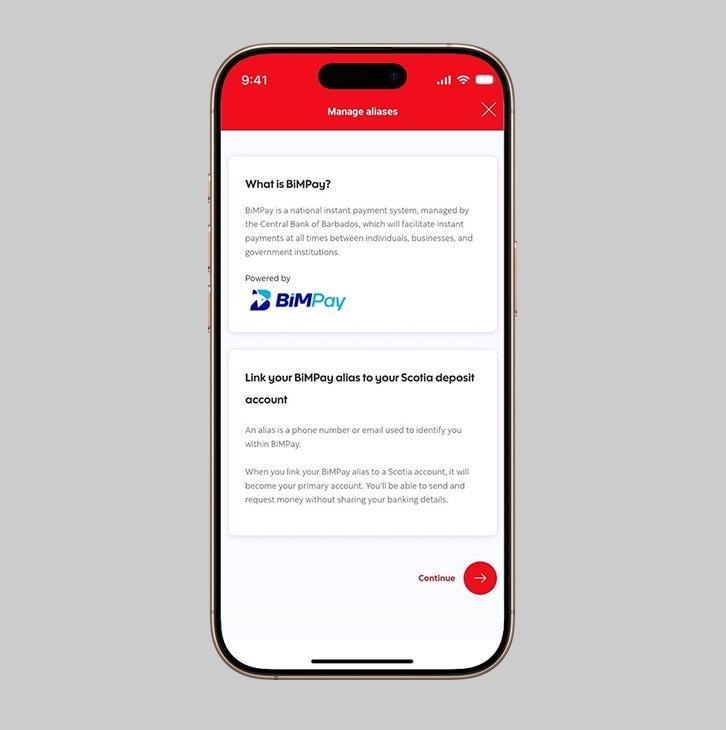
Step 1 - Select "Link your BiMPay alias to your Scotia deposit account"
Navigate to the Manage aliases page and select "Link your BiMPay alias to your Scotia deposit account".
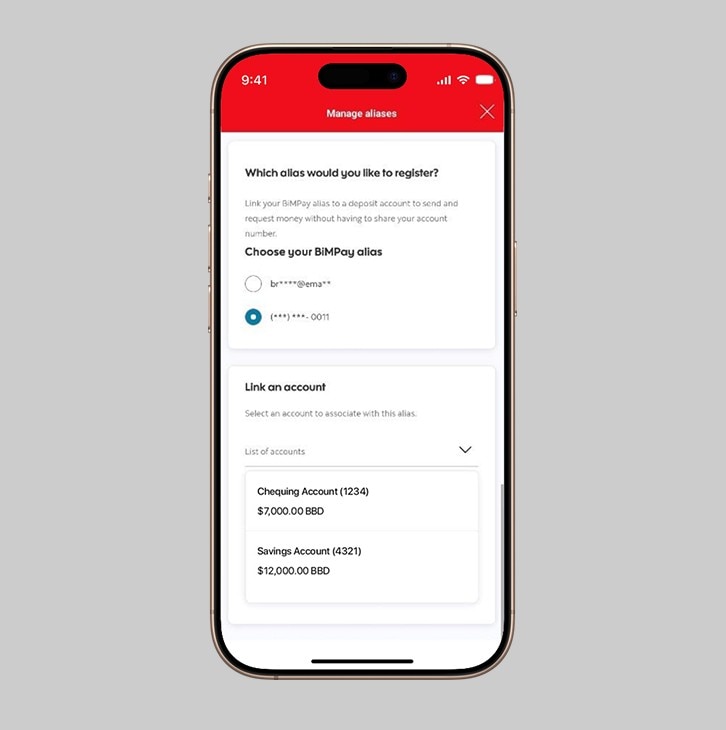
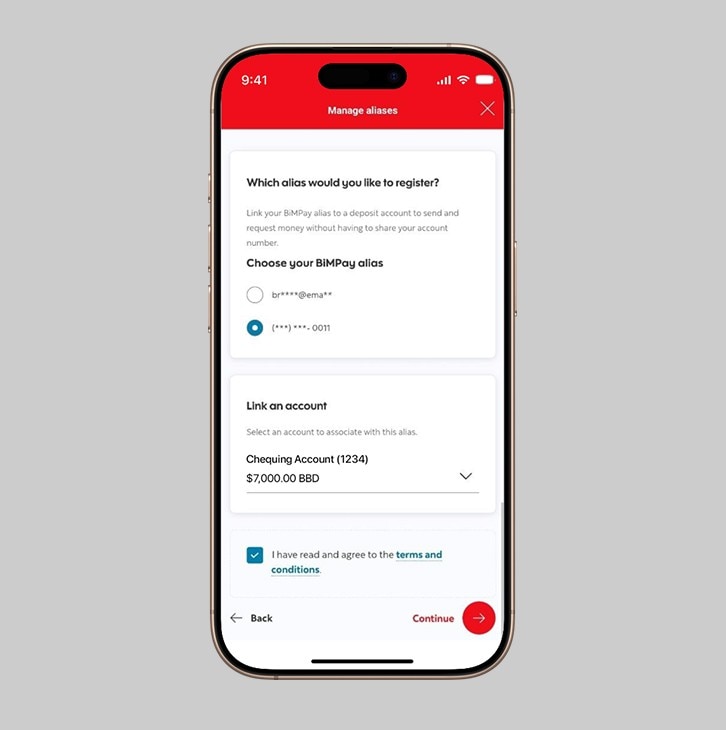
Step 2 - Choose your Alias.
Select your Alias from the options provided.
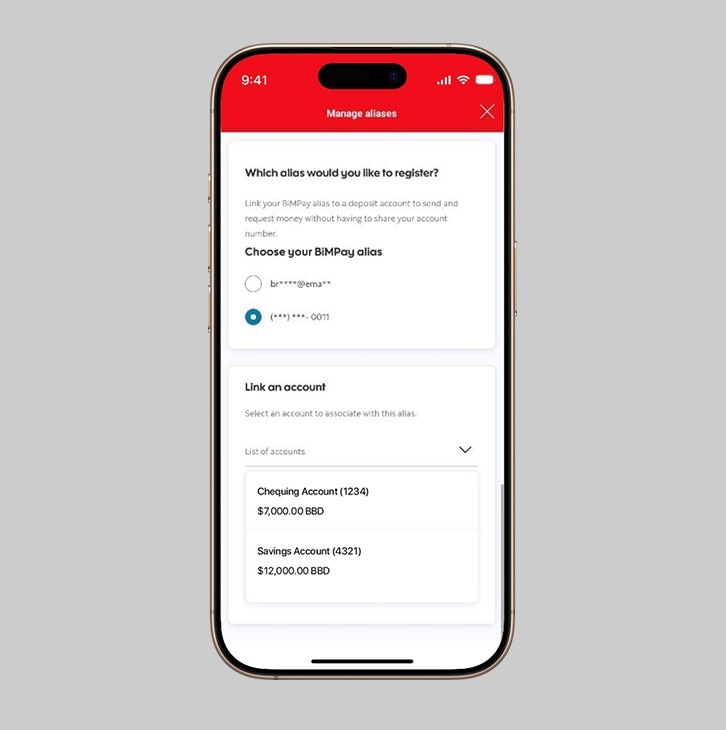
Step 3 - Choose your account
Select the deposit account that you would like to link to your BimPay Alias from the "Link an account" drop down.
Step 4 - Agree to the terms and conditions and select continue
After selecting the deposit account, review and agree to the terms and conditions then select "Continue".
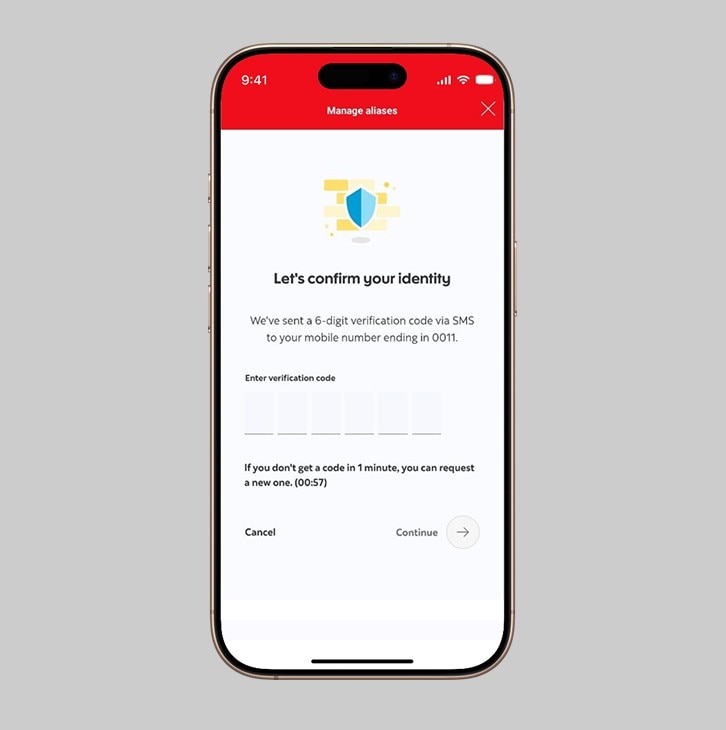
Step 5 - Confirm your identity via SMS
Your identity will be verified via an SMS code sent to the number registered to your account. Enter the code when prompted.
Step 6 - Registration successful
Congratulations, you have registered your BiMPay Alias.