Sign In
 Sign In
How to generate your BiMPay token.
Let's get started.
Follow the steps below.
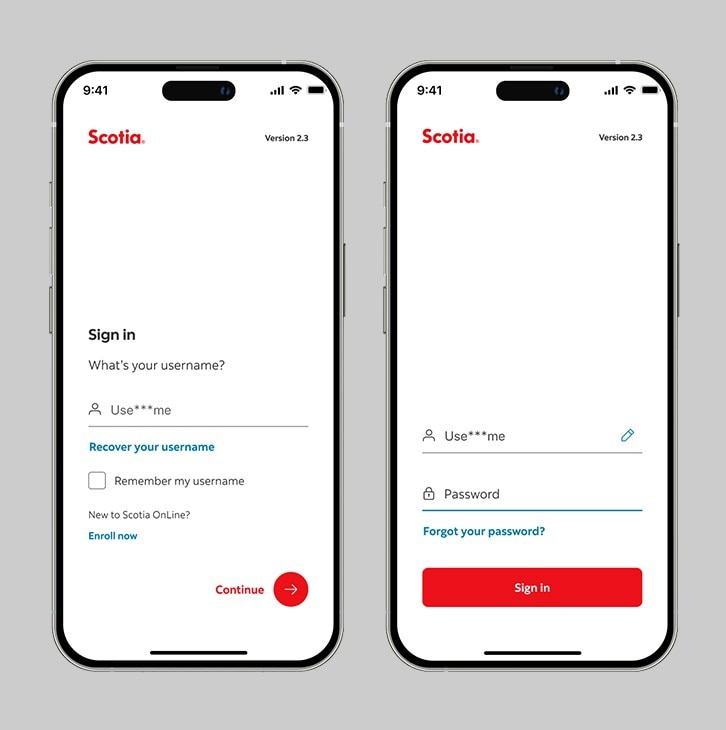
Step 1 - Launch the App and sign in.
Launch the Scotia Caribbean app and sign in. Depending on your security settings, you will need to verify your identity through FACE ID, Touch ID or by entering a verification code, sent to your registered email.
You should receive your verification code in your email's inbox immediately. If after a couple minutes, it's still not there, click the "Send me a verification code" link.
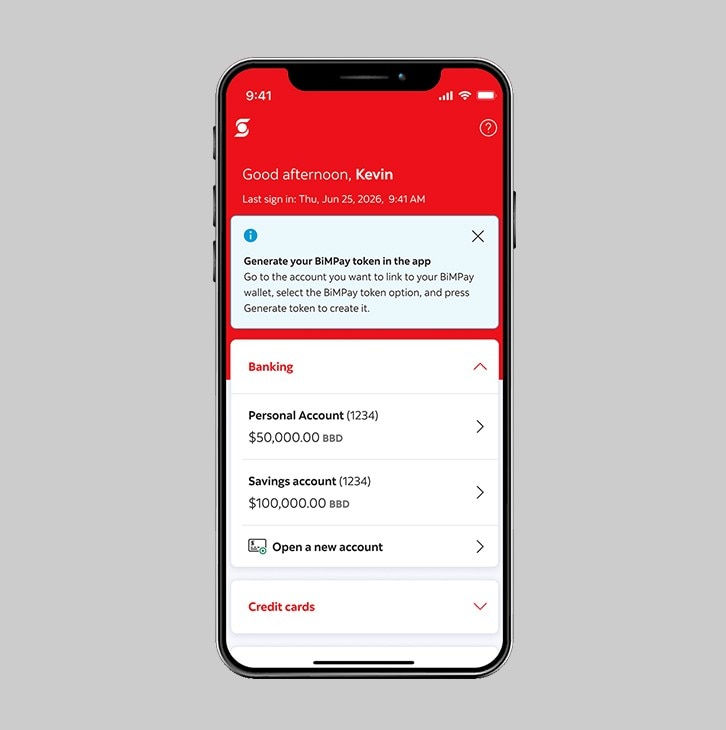
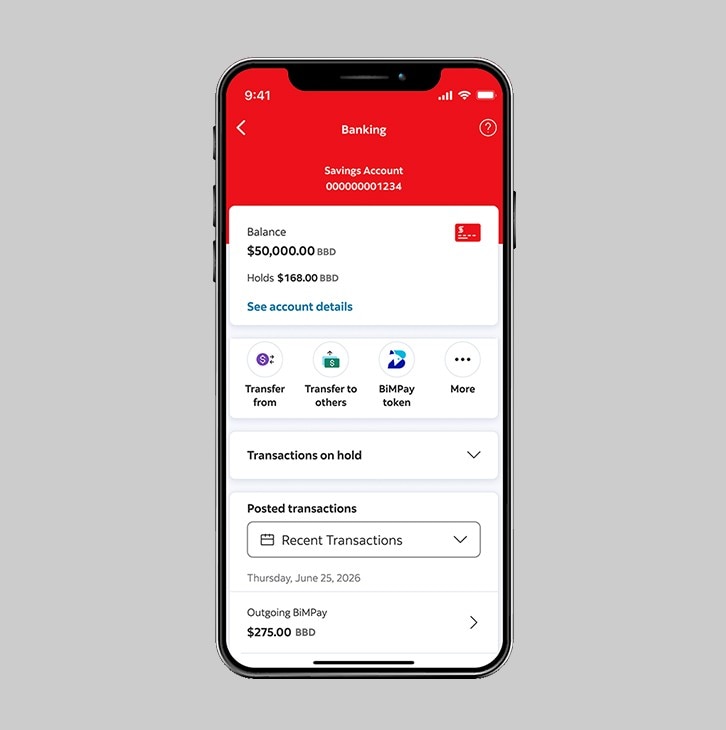
Step 2 - Select the account.
Step 3 - Select "BiMPay token".
Select "BiMPay token" to generate the token.
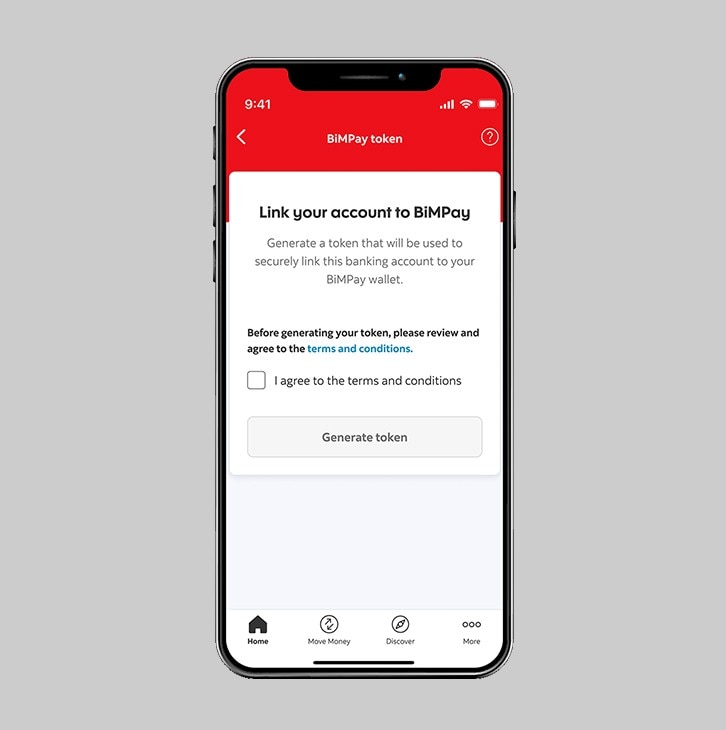
Step 4 - Review the terms and conditions.
Before generating your token, please review and agree to the terms and conditions.
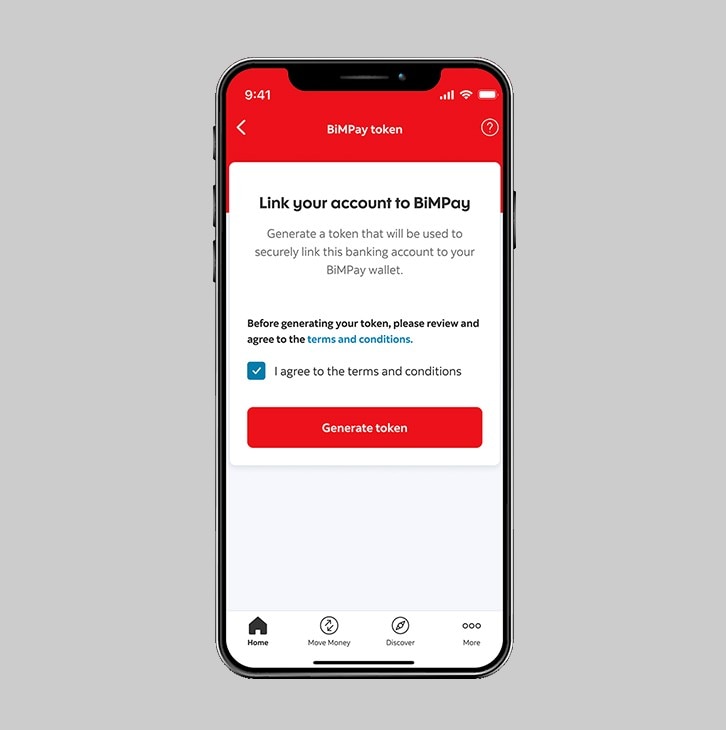
Step 5 - Generate token.
Once you have reviewed the terms and conditions, agree by checking the box, then select "Generate token".
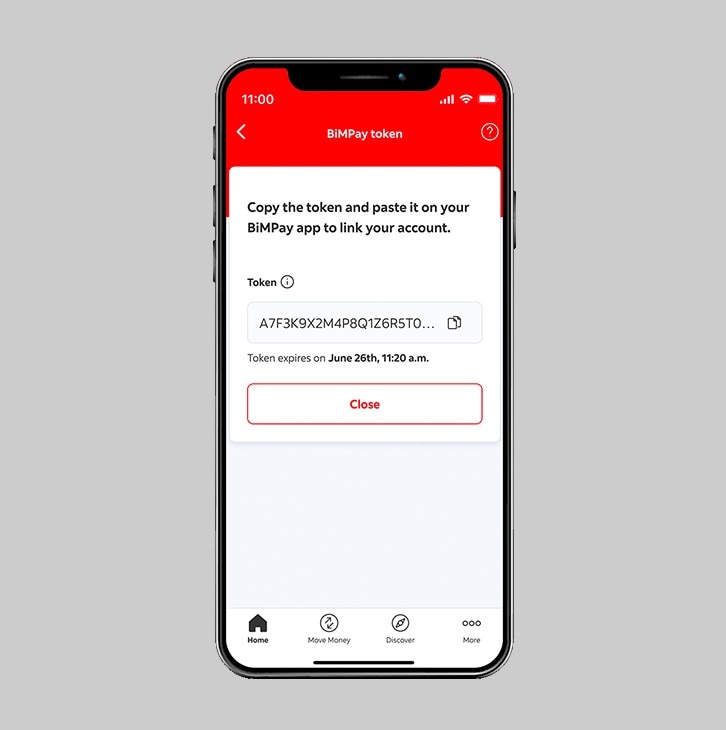
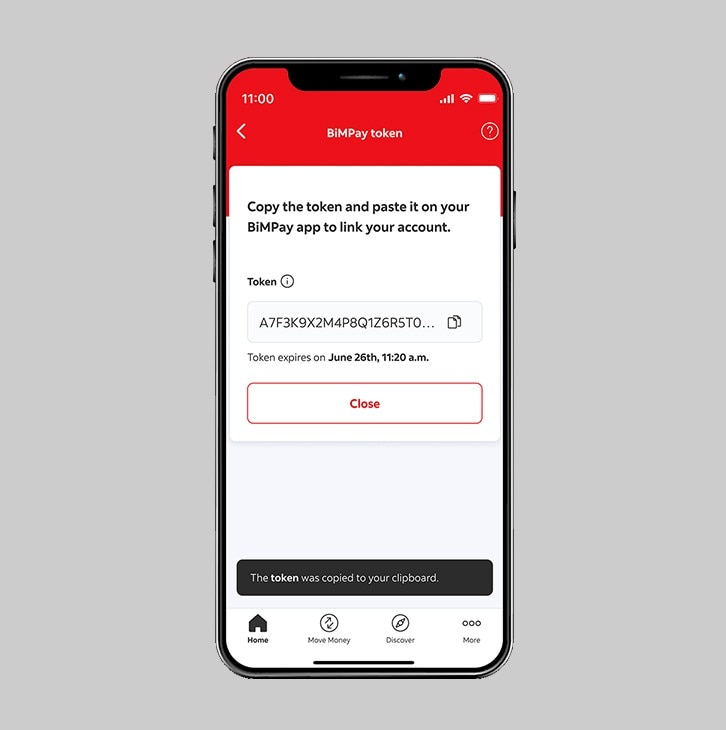
Step 6 - Copy the token.
Using the button to the right of the token, you may copy it and paste into the BiMPay App.