Sign In
 Sign In
Let's get started.
Follow the steps below.
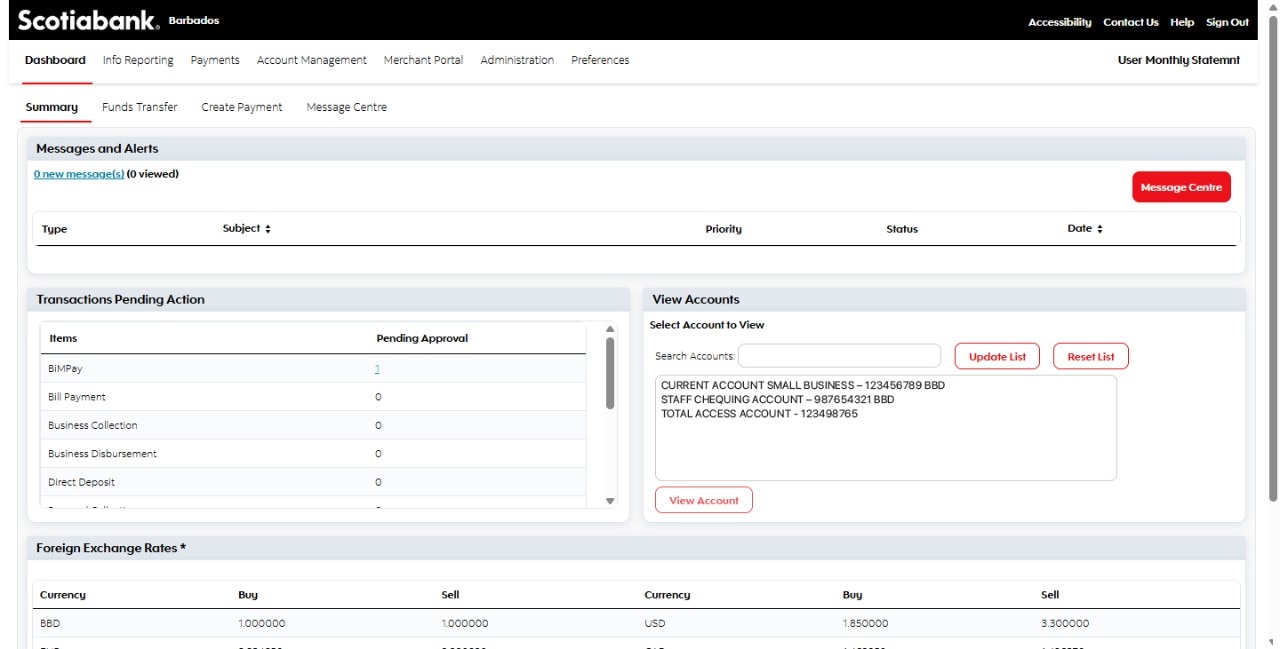
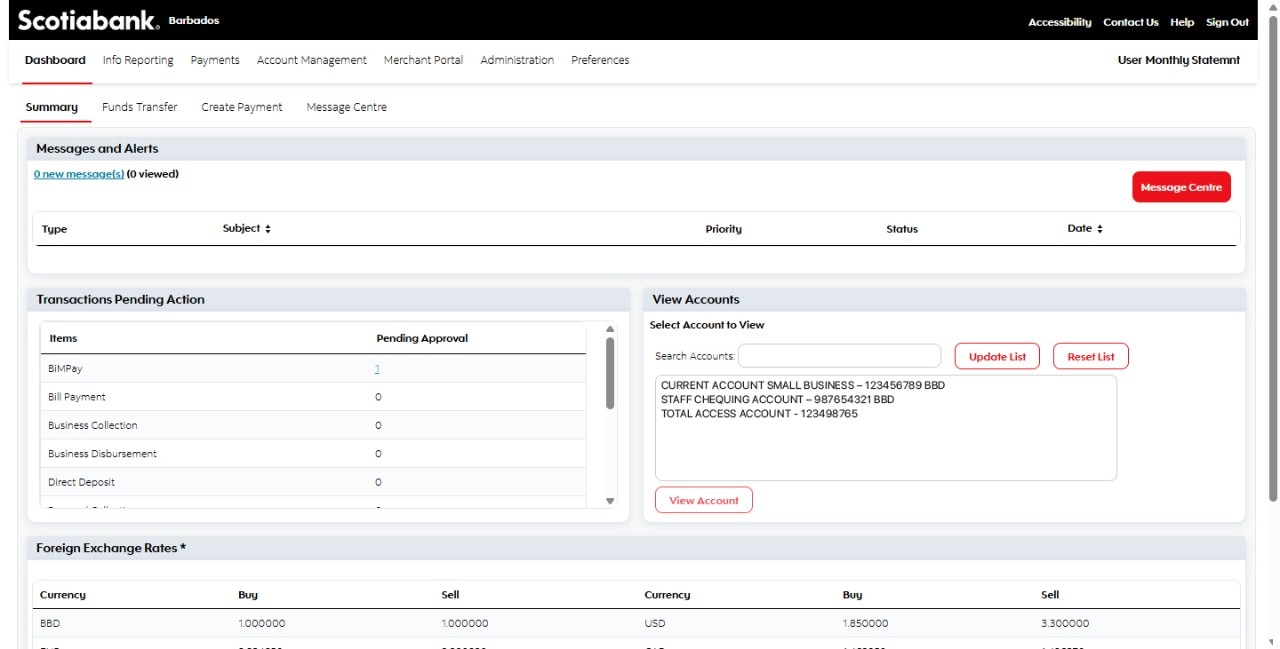
Step 1 - Dashboard
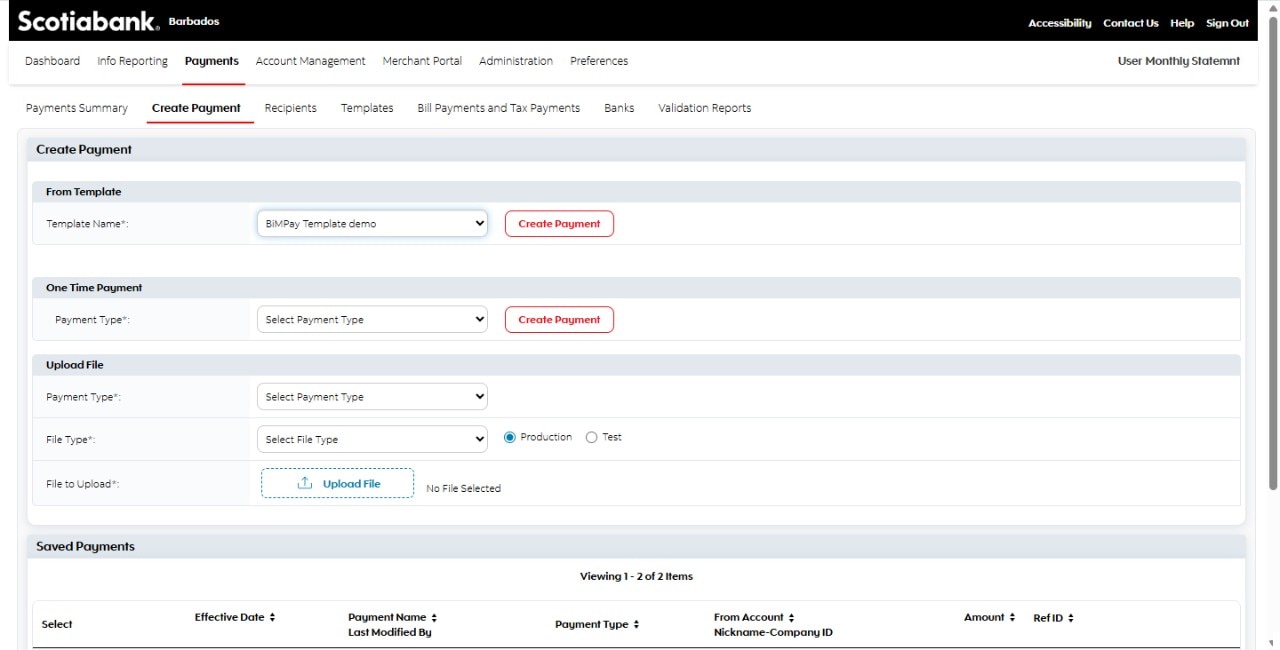
From the ScotiaConnect™ dashboard, go to the "Create Payment" tab.
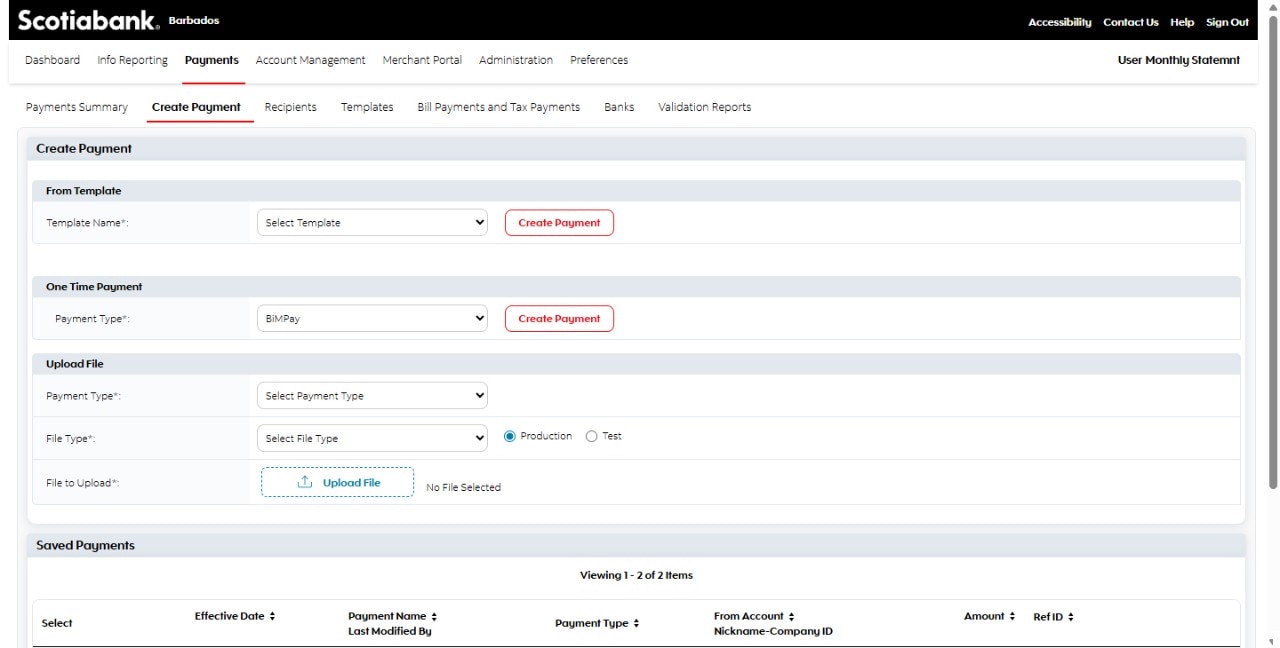
Step 2 - Select BiMPay under the One time payment section
Tap on the "Move money" icon at the bottom of your screen, to get started.
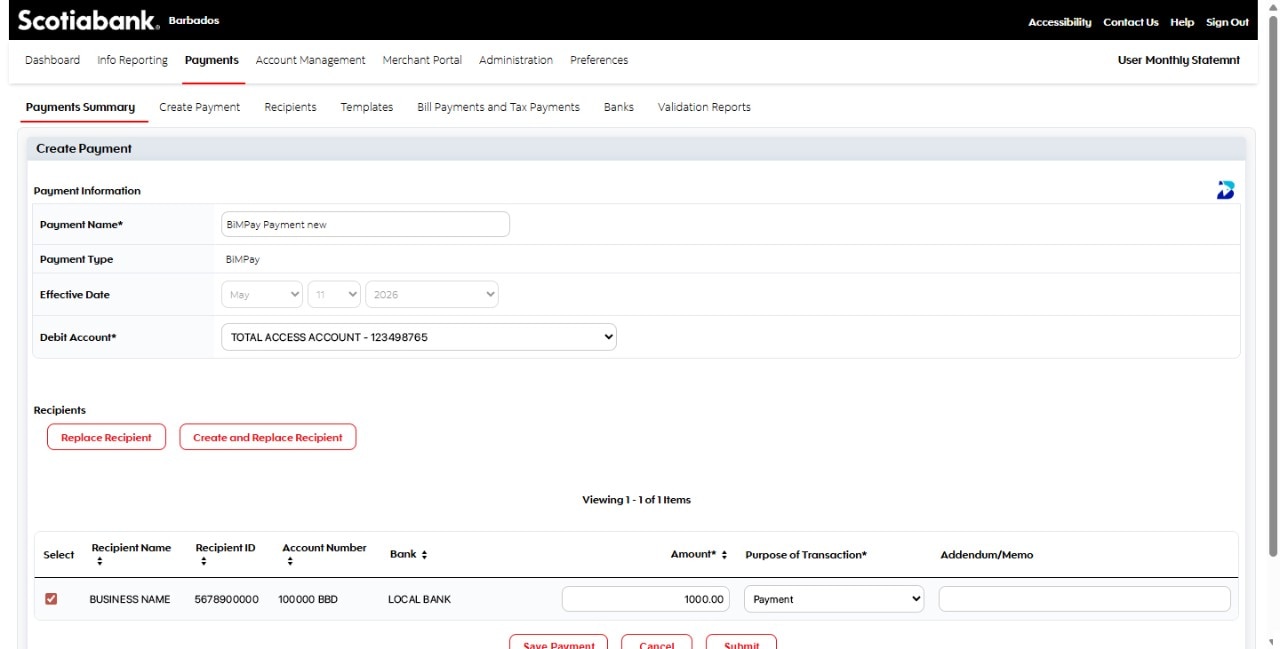
Step 3 - Complete the payment details.
Select the account from which the funds will be withdrawn, select the recipient from available options, add the Amount, the purpose of the transaction. A memo can be added if needed.
You must add a transfer recipient beforehand, in order to make a transfer.
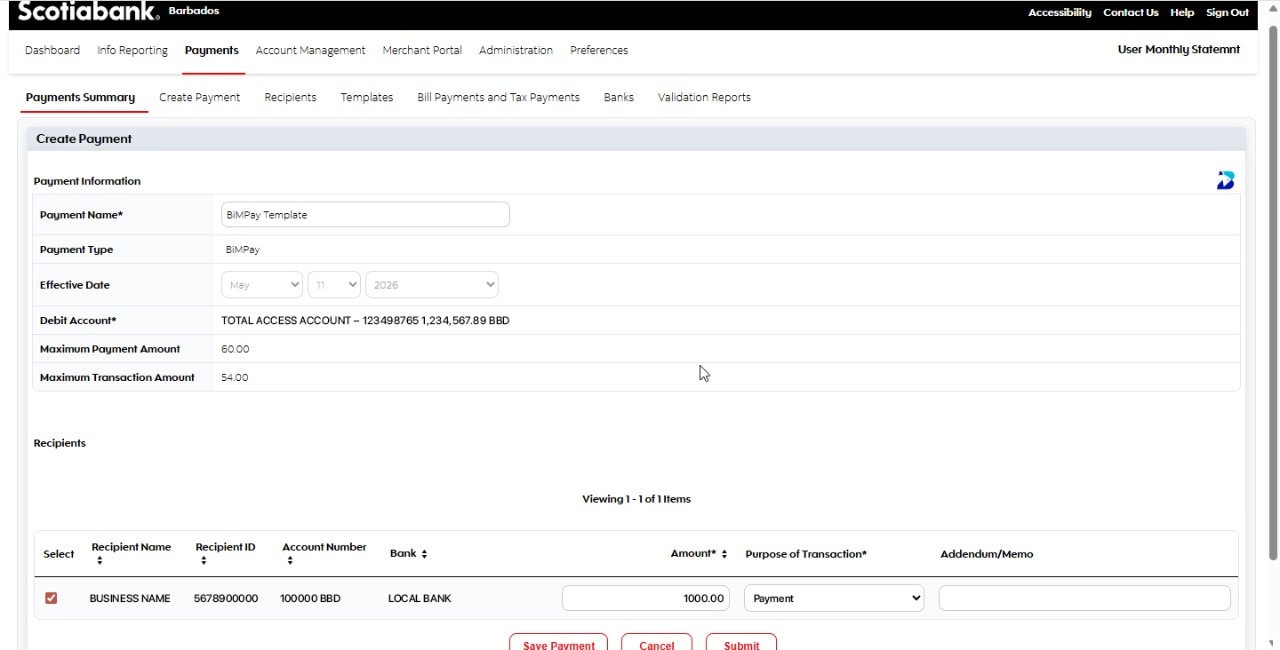
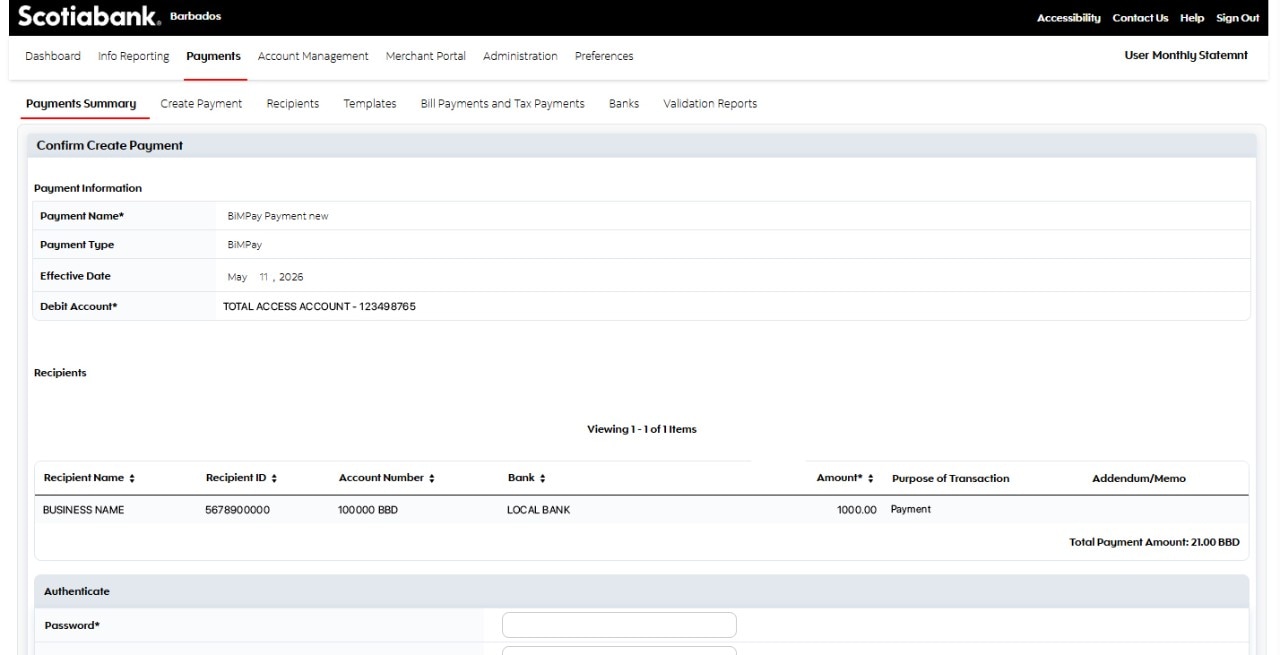
Step 4 - Confirm details and submit.
Ensure that all details are correct and enter your password to proceed.
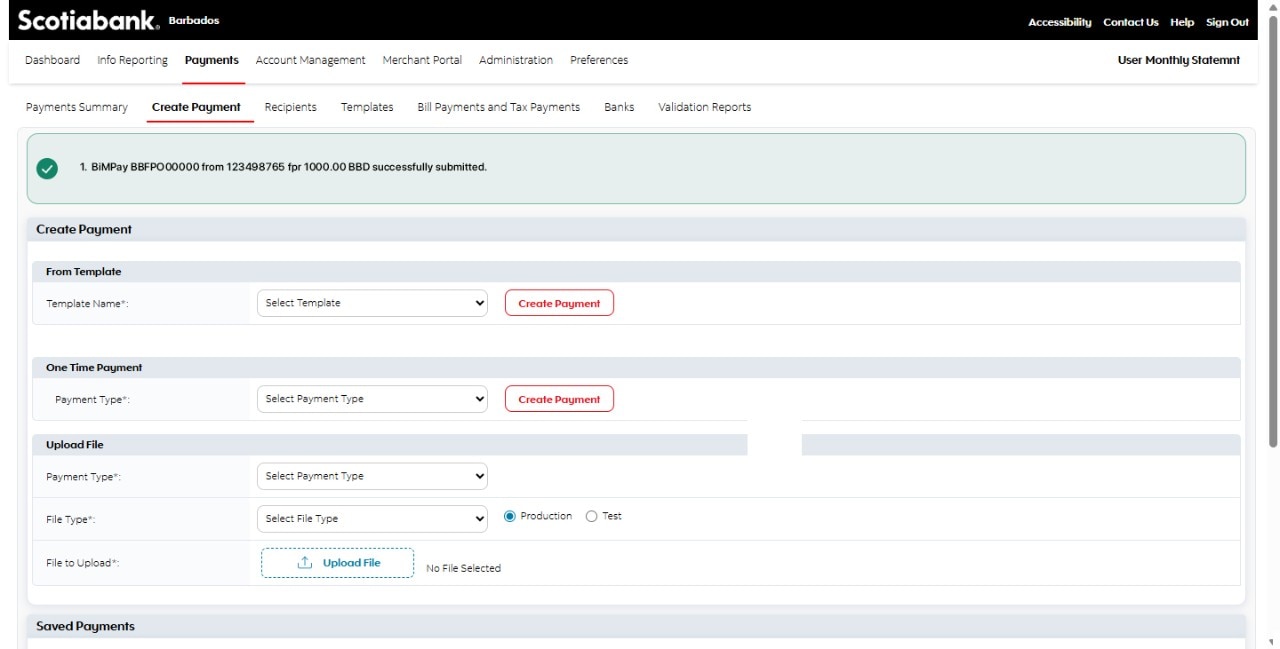
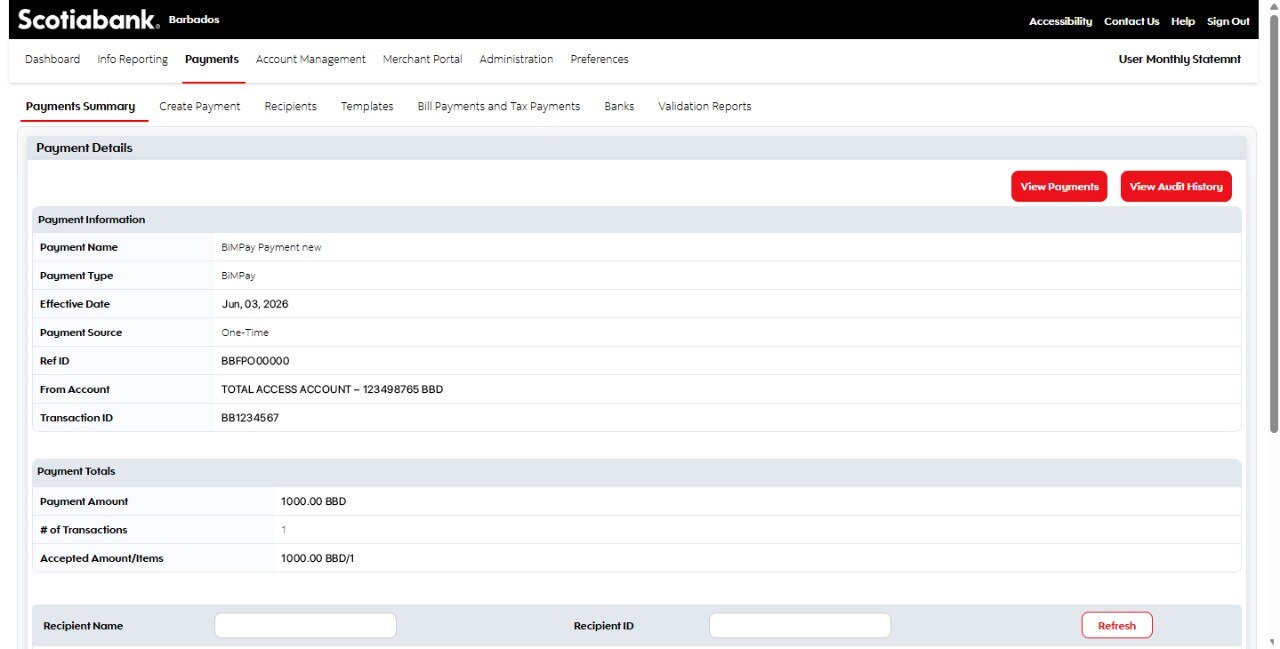
Step 5 - Success! You've made a transfer to another account using BiMPay.
Your payments will appear under the History tab.